If you’re a developer, who just started your career in software development, or a business person, you all must have heard about the term client-side application at some point. And now you’re wondering what is a client-side application, and how it differs from other applications.
Code Direct
Take a look at this client application sample. CodeDirect has a sample application to show you what a client application looks like at the most basic level, everything other than this is just an extension and more advanced of what is shown in the basic sample.
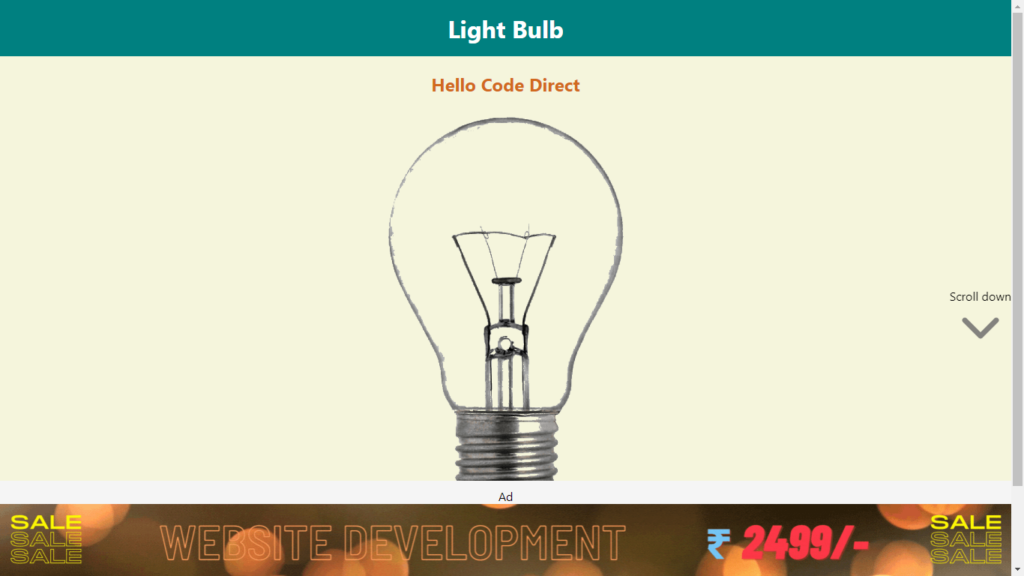
The above sample application is an application that runs on your machine browser and uses your system resources to process operations and not a server. In this application, you can click on Turn On/Off button to switch on the bulb and switch off the bulb. All these operations are happening on your browser and you are not requesting the server to process your request that’s why the process is fast. Every website you use these days has a client application that runs on a client browser. Running an application on a client browser is faster than the requesting server to process pages and then return the result which could delay the result because of congestion.
Detailed Explanation
In order to understand client-side application, first you have to understand what is client?
The client is a computer application such as a web browser, media player, photo editing, Visual Studio, Notepad, and others. These client applications run on a laptop, smartphone, or other devices that connect to a server. Then these applications may or may not request the resources from the server. Now you might ask a question if a browser is a client then who are you?
This is the most important part to understand. You’re a user who uses the browser or other devices to access the website or other resources. These resources could be on the internet or local to your machine. But you are not the client, because the browser is the client which communicates with the server. And You, as a user, request your browser or other applications to fetch something for you, like the CodeDirect website. So, here, your browser will communicate with the server and ask the server to give access to Code Direct website. Then the server will return the result to the browser which will display it to you.
So, the role you played here is of a controller or a user who controls what to access. The server only knows about the browser which is a client for the server and the server doesn’t know you. The server is just fulfilling the request of a client which in this case is a browser.
The client is not specifically limited to browser, applications in your smartphone or laptop are also a client.
So what is a client-side application?
Till now, you may have guessed and understood what is a client-side application. So, client-side applications are the applications that run on your computer or machine. And they utilize resources of your machine instead of a server. Client applications include but not limited to web browsers, media players, photo editing tools, or a website.